Get Free Shipping on orders over $89
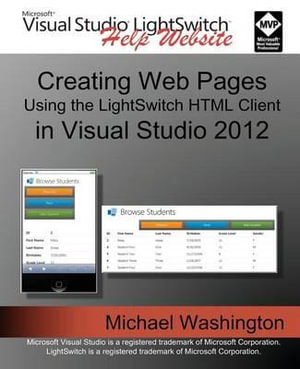
Creating Web Pages Using the Lightswitch HTML Client : In Visual Studio 2012 - Michael Washington

Creating Web Pages Using the Lightswitch HTML Client

In Visual Studio 2012

By: Michael Washington

Paperback | 13 July 2013

Sorry, we are not able to source the book you are looking for right now.

We did a search for other books with a similar title, however there were no matches. You can try selecting from a similar category, click on the author's name, or use the search box above to find your book.

Visual Studio LightSwitch 2012 is a development tool that provides the easiest and fastest way to create forms over data, line of business applications and build applications for the desktop and the internet cloud by providing a tool that allows you to quickly and easily define and connect to your data, program your security and business rules, expose this via OData to practically any 'client' such as mobile devices and web pages. This book will demonstrate its use, explain, and provide examples of important concepts of its API (Application Programming Interface). Over the past year I have created more than thirty Visual Studio LightSwitch HTML Client projects. While creating those projects, I ran into challenges that required me to go deep into the LightSwitch HTML Client API. This book covers the core concepts as well as the use of advanced techniques that I consider important to properly leverage this incredible tool.

Table of Contents:

Chapter 1:

Understanding the LightSwitch HTML Client

What Is Visual Studio LightSwitch?

The Visual Studio LightSwitch HTML Client

Single Page Application (because faster is better)

Chapter 2:

Create an End-To-End LightSwitch HTML Application

How Does A LightSwitch HTML Client Application Work?

Chapter 3:

The LightSwitch HTML Client API

The Binding Pattern

Promises

Chapter 4:

Working With Data

Searching Data

Setting Defaults

Dynamically Creating Records

Deleting Data

Chapter 5:

Working With Screens

The Visual Collection API

JavaScript

Chapter 6:

Application Navigation

Show a Message Box, and Respond To a User Selection

Create a Custom Modal Picker by Using A Popup

Copy a Record - Show Add Edit Dialog with Initialized Parameters

Navigating to a New Screen (and Returning)

After Editing -- Return Focus and Browser Position to the Item

Chapter 7:

Advanced Topics

Using ServerApplicationContext

Using WCF RIA Services

Advanced JavaScript

Controls

Use a JQuery Mobile Control

Prevent JQuery Mobile from Overriding Custom Controls

Theming

LightSwitch HTML for the Desktop

More in Web Programming

Learning Go : An Idiomatic Approach to Real-World Go Programming - Jon Bodner
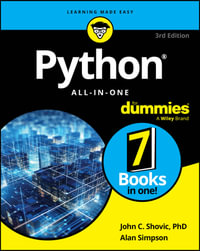
Python All-in-One For Dummies : 3rd Edition - Alan Simpson

RRP $74.95

$49.99

33%
OFF
Web Engineering : Theory and Practice - Jeremiah Downey
Building Microservices : Designing Fine-Grained Systems 2nd Edition - Sam Newman
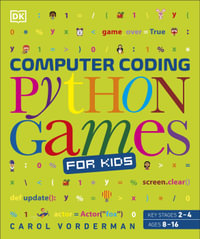
Computer Coding Python Games for Kids : DK Help Your Kids With - Carol Vorderman
Coding All-in-One For Dummies : 2nd Edition - Chris Minnick

RRP $69.95

$46.99

33%
OFF
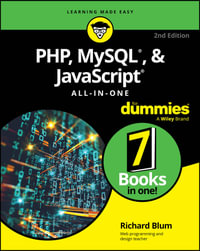
PHP, MySQL, & JavaScript All-In-One For Dummies : For Dummies - Richard Blum
Effective Typescript : 83 Specific Ways to Improve Your Typescript - Dan VanderKam
Introducing Python : Modern Computing in Simple Packages - Bill Lubanovic
Python Cookbook : Recipes for Mastering Python : 3rd Edition - David Beazley
Coding For Dummies, All New Edition : For Dummies (Computer/Tech) - Paul McFedries
Information Architecture : For the Web and Beyond : 4th Edition - Jorge Arango
Typescript Cookbook : Real World Type-Level Programming - Stefan Baumgartner