Get Free Shipping on orders over $79
NX 2021 For Beginners - Tutorial Books

NX 2021 For Beginners

By: Tutorial Books

Paperback | 11 May 2021

At a Glance

Paperback


$64.89

or 4 interest-free payments of $16.22 with

 or 

Ships in 5 to 7 business days

NX For Beginners introduces you to the basics of NX by using step-by-step instructions. You begin with a brief introduction to NX and the User Interface, ribbon, environments, commands, and various options.


Within a short time, you will learn to create 2D sketches that form the basis for 3D models. You will learn to sketch on three different planes (Front, Top and Right planes). You will use various sketching tools such as line, rectangle, and circle. You will also learn to modify sketches using tools such as trim, extend, and fillet. Learn to use geometric constraints and dimensions to achieve a definite shape and size of the sketch.


You convert the sketches into 3D features such as Extrude and Revolve. You combine or subtract features to achieve the final part. You can also add placed features (sketch fewer features) such as Fillets and Holes to the 3D geometry. You explore mirroring and patterning commands to create repetitive features.

You will learn to use some additional modeling tools and work with multi-body parts. Learn to modify part geometry by editing sketches and feature parameters. You explore Synchronous Modeling tools to change the Part geometry by modifying its faces.


You build assemblies after creating parts. There are two methods to build assemblies: Bottom-up and Top-down. In the Bottom-up approach, you bring all the components together and add constraints between them. In the Top-down approach, you create parts at the assembly level. You explode assemblies to show how they were assembled.


You create Drawings of the parts and assemblies. You insert part views and add dimensions and annotations to complete the drawing. In the case of assembly drawings, you insert assembly views, add Bill of Materials, Balloons, and Revision table. The Sheet Metal design chapter covers various tools used to build sheet metal parts from scratch. You will also learn to convert an existing part geometry into a sheet metal part. You also create flat patterns and 2D sheet metal drawings.


The Surface design chapter covers the surface modeling tools that are used to create complex shapes.


The NX Realize Shape chapter covers the freeform modeling tools.


Table of Contents

1. Getting Started with NX

2. Sketch Techniques

3. Extrude and Revolve Features

4. Placed Features

5. Patterned Geometry

6. Additional Features and Multibody Parts

7. Modifying Parts

8. Assemblies

9. Drawings

10. Sheet Metal Design

11. Surface Design

12. NX Realize Shape

More in Engineering Graphics & Technical Drawing

Engineering Mechanics: Dynamics, SI Units : Global Edition - Russell Hibbeler
Engineering Mechanics: Statics, SI Units : 15th Global Edition - Russell Hibbeler
Steel Designers' Handbook : 8th edition - Branko E. Gorenc

RRP $99.99

$86.75

13%
OFF
3D CAD with Autodesk 123D - Jesse Harrington Au

RRP $38.00

$21.75

43%
OFF
Learning and Applying Solidworks 2013-2014 Step by Step - L. Scott Hansen
SolidWorks Simulation 2026 Black Book - Gaurav Verma
SolidWorks CAM 2026 Black Book - Gaurav Verma
SolidWorks CAM 2026 Black Book : (Colored) - Gaurav Verma
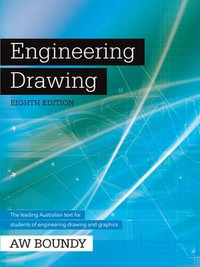
Engineering Drawing + Sketchbook : 8th Edition - A. W. Boundy

RRP $114.95

$108.99

Beginning AutoCAD® 2014 - Cheryl Shrock

RRP $64.75

$25.00

61%
OFF
Membranes for Structures ? Fundamentals : Fundamentals - de Llorens
Axiomatic Design : Advances and Applications - Nam Pyo Suh
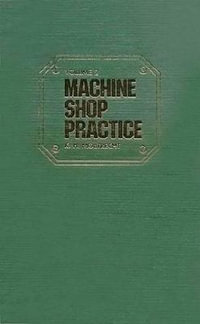
Machine Shop Practice : Volume 2 - Karl Hans Moltrecht
Print Reading for Welding and Fabrication - Kevin Corgan

RRP $242.95

$228.99

Digital Sketching : Computer-Aided Conceptual Design - John Bacus
SketchUp For Dummies : 2nd edition - Bill Fane

RRP $74.95

$59.75

20%
OFF
AutoCAD 2018 : Beginning and Intermediate - Munir Hamad

RRP $98.92

$82.75

16%
OFF