Get Free Shipping on orders over $79
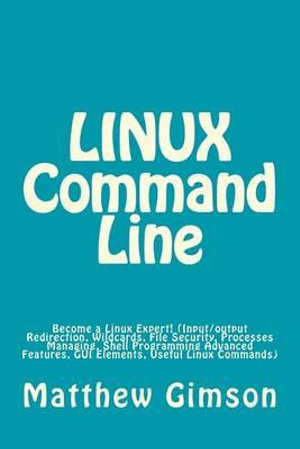
Linux Command Line : Become a Linux Expert! (Input/Output Redirection, Wildcards, File Security, Processes Managing, Shell Programming Advanced Features, GUI Elements, Useful Linux Commands) - Matthew Gimson

Linux Command Line

Become a Linux Expert! (Input/Output Redirection, Wildcards, File Security, Processes Managing, Shell Programming Advanced Features, GUI Elements, Useful Linux Commands)

By: Matthew Gimson

Paperback | 19 November 2015

At a Glance

Paperback


$25.75

or 4 interest-free payments of $6.44 with

Ships in 15 to 25 business days

LINUX Command Line

Become a Linux Expert (Input/Output Redirection, Wildcards, File Security, Processes Managing, Shell Programming Advanced Features, GUI elements, Useful Linux Commands)

This book is all about the advanced features that are associated with Linux. These are the features one needs to know in order to be referred to as a "Linux Expert", thus, after reading this book you will become one. The book begins by explaining more about Linux and what you have learned in the first part of the book. Various Linux features are discussed in this book. Input and output redirection in Linux is explained, with the emphasis on the use of the "cat" command. Although you are used to using this command to display the contents of a file, you will get to know how to use it to redirect both input and output in Linux. Appending new contents to an old file using the same command is also introduced. The two wildcards in Linux, mainly "*"and "?" are approached and talked about in depth. After reading this book you will understand how to get help with commands when needed. File security in Linux is presented in a way that makes it easy to understand. You will know how to manage permissions on files, including how to grant and remove permissions for users. The book will also guide you in how to manage processes in Linux, including how to run processes in the background, foreground and suspending them. You will also learn how to kill processes. Shell programming is also explored. Most of its advanced features, including creation dialogs and other GUI elements are covered. The following topics have been discussed in this book: Definition Input/output Redirection Wildcards in Linux File security in Linux Jobs and Processes Advanced Shell Programming and more...Download your copy of " LINUX Command Line" by scrolling up and clicking "Buy Now With 1-Click" button.

More in Operating Systems

macOS Tahoe For Dummies : For Dummies (Computer/Tech) - Guy Hart-Davis
Microsoft Power BI Step by Step - Jose Escalante
Principles of Operating Systems - Kate Summers
Linux All-In-One For Dummies : For Dummies (Computer/Tech) - Richard Blum
The Site Reliability Workbook : Practical ways to implement SRE - Betsy Beyer
Windows 11 For Dummies, 2nd Edition : Windows 11 For Dummies - Alan Simpson
Windows 11 All-in-One For Dummies, 2nd Edition : For Dummies - Ciprian Adrian Rusen
iPad & iPad Pro for Dummies : 2024-2025 Edition - Paul McFedries

RRP $49.95

$38.75

22%
OFF
Modern Operating Systems, Global Edition : 5th Edition - Andrew Tanenbaum
Git : Pocket Guide : A Working Introduction - Richard Silverman

RRP $47.75

$26.75

44%
OFF
UNIX and Linux System Administration Handbook : 5th Edition - Ben Whaley
Rust Atomics and Locks : Low-Level Concurrency in Practice - Mara Bos