Get Free Shipping on orders over $79
Linux Basics for SysAdmin : Learn core linux concepts and command-line skills to kickstart your system administration career - Ryan Juan

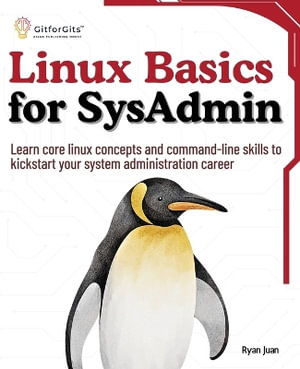
Linux Basics for SysAdmin

Learn core linux concepts and command-line skills to kickstart your system administration career

By: Ryan Juan

Paperback | 23 May 2024

At a Glance

Paperback


RRP $116.59

$114.75

or 4 interest-free payments of $28.69 with

 or 

Ships in 10 to 15 business days

For students, aspiring IT specialists, and working professionals, "Linux Basics for SysAdmin" is a great starting point for learning the fundamentals of Linux, including the command line and all the tools and commands needed to manage enterprise systems.

At first, you are introduced to the Linux environment, with a focus on browsing the filesystem, using basic commands, managing files and directories, and becoming acquainted with the shell. You'll also learn about package management and how to handle system startup and shutdown efficiently. After that, you'll learn all about system configuration files, 'systemd' for managing system services, crontab for job scheduling, and 'at' and 'batch' for automating processes.

Afterwards, the book delves into topics such as dependency management, system hardware configuration, kernel upgrades, and device driver management, as well as package management with 'apt' and 'yum'. You'll also learn how to create and manage repositories, and install and setup virtual machines with VirtualBox. In the end, the book covers a wide range of topics, including creating and managing user accounts, editing user profiles, setting ownership and permissions for files, using ACLs, managing user sessions, configuring sudo for administrative tasks, implementing password policies, working with PAM, and managing group memberships.


Key Learnings

  1. Master essential Linux commands to efficiently navigate and manage the system's file structure.
  2. Learn to configure and manage system services with 'systemd' for streamlined service administration.
  3. Set up and manage virtual machines with VirtualBox to create isolated, reproducible development environments.
  4. Use Access Control Lists (ACLs) to fine-tune file permissions beyond the standard Unix model.
  5. Schedule and automate tasks using 'cron', 'at', and 'batch' to improve system efficiency and reliability.

More in Operating Systems

macOS Tahoe For Dummies : For Dummies (Computer/Tech) - Guy Hart-Davis
Microsoft Power BI Step by Step - Jose Escalante
Principles of Operating Systems - Kate Summers
Linux All-In-One For Dummies : For Dummies (Computer/Tech) - Richard Blum
The Site Reliability Workbook : Practical ways to implement SRE - Betsy Beyer
Windows 11 For Dummies, 2nd Edition : Windows 11 For Dummies - Alan Simpson
Windows 11 All-in-One For Dummies, 2nd Edition : For Dummies - Ciprian Adrian Rusen
iPad & iPad Pro for Dummies : 2024-2025 Edition - Paul McFedries

RRP $49.95

$38.75

22%
OFF
Modern Operating Systems, Global Edition : 5th Edition - Andrew Tanenbaum
Git : Pocket Guide : A Working Introduction - Richard Silverman

RRP $47.75

$26.75

44%
OFF
Rust Atomics and Locks : Low-Level Concurrency in Practice - Mara Bos
UNIX and Linux System Administration Handbook : 5th Edition - Ben Whaley
TCP/IP Network Administration 3e : O'Reilly Ser. - Craig Hunt

RRP $104.75

$51.75

51%
OFF
Learning the bash Shell : In a Nutshell (O'Reilly) - Cameron Newham