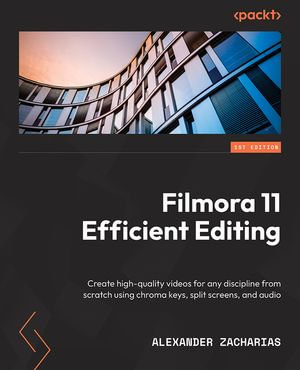
Unleash your creativity in your next video editing project using Filmora by learning advanced concepts that will help you create videos of all genres
Key Features
- Learn to edit videos with minimal effort
- Improve videos with more than 800 stunning effects, animations, advanced filters, and much more
- Learn various advanced concepts to enhance your video editing skills
Book Description
Video editing is an art form that can be applied to many disciplines, whether you want to create short films, YouTube videos, music videos, or videos for weddings, birthdays, and other events. Filmora 11 is an extremely powerful, innovative, and user-friendly video editing software that you can use for all this and more!
Filmora 11 Efficient Editing is a comprehensive introduction for those who are new to video editing or are looking for new video editing software.
The book starts with an introduction to video editing, Filmora's interface, adding sources, editing, and exporting your project. Next, you'll learn how to make your videos engaging, interesting, and fun through audio, personalization, filters, tiles, the split-screen function, and Chroma keys. You'll understand how to plan as well as create your videos by using Filmora 11 or your own resources. Filled with easy-to-understand concepts and real-world examples, this book covers applications such as YouTube, intros, professional marketing videos, and industry-standard tips and tricks.
By the end of this video editing book, you'll have learned how to use Filmora 11's powerful tools and functionality to create high-quality and professional videos from scratch.
What you will learn
- Create high-quality and professional videos using Filmora 11
- Become an advanced Filmora 11 user
- Explore career prospects in the world of video editing
- Understand how to use the advanced features of Filmora 11 such as Chroma keys, split screens, and animations
- Focus on creating YouTube videos from scratch
- Understand how to think and plan projects as a video editor
Who This Book Is For
This book is for a novice or an intermediate-level user looking to create YouTube videos, promotional videos for products or events, or someone looking to use Filmora in their work such as professional YouTube video editors and movie or music video editors. This book majorly focuses on the Windows OS, however, key bindings for Mac are also provided as Filmora works the same for both operating systems. To get started with this book, all you need is a computer and the Filmora 11 software.
Table of Contents
- Introduction to Video Editing and Filmora X
- Navigating Filmora's Interface
- Adding Your Source Material and Using the Timeline
- Audio - Changing Your Video's Feel!
- Making Videos Fun - Effects, Elements, Transitions and Titles
- Personalizing Videos: Recording Your Screen and Using Keyframes
- Making Filmora Work for You - Using AI
- Movie Magic: Split Screens and Chroma Keys
- Creating an Animated Intro from Scratch
- Making a Gaming Video
- Creating Promotional Video for an Event
- Career Roles: What Can You Do with this Newfound Knowledge
- Appendix