Get Free Shipping on orders over $79
Creo Simulate 9.0 Tutorial : Structure and Thermal - Roger Toogood

Creo Simulate 9.0 Tutorial

Structure and Thermal

By: Roger Toogood

eText | Edition Number 11

At a Glance

eText


$81.40

or 4 interest-free payments of $20.35 with

 or 

Instant online reading in your Booktopia eTextbook Library *

Why choose an eTextbook?

Instant Access *

Purchase and read your book immediately

Read Aloud

Listen and follow along as Bookshelf reads to you

Study Tools

Built-in study tools like highlights and more

* eTextbooks are not downloadable to your eReader or an app and can be accessed via web browsers only. You must be connected to the internet and have no technical issues with your device or browser that could prevent the eTextbook from operating.
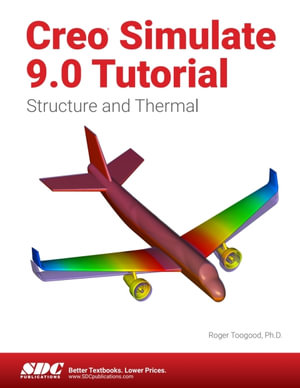
Creo Simulate 9.0 Tutorial introduces new users to finite element analysis using Creo Simulate and how it can be used to analyze a variety of problems. The tutorial lessons cover the major concepts and frequently used commands required to progress from a novice to an intermediate user level. The commands are presented in a click-by-click manner using simple examples and exercises that illustrate a broad range of the analysis types that can be performed. In addition to showing the command usage, the text will explain why certain commands are being used and, where appropriate, the relation of commands to the overall Finite Element Analysis (FEA) philosophy are explained. Moreover, since error analysis is an important skill, considerable time is spent exploring the created models so that users will become comfortable with the "debugging" phase of modeling.

This textbook is written for first-time FEA users in general and Creo Simulate users in particular. After a brief introduction to finite element modeling, the tutorial introduces the major concepts behind the use of Creo Simulate to perform Finite Element Analysis of parts. These include modes of operation, element types, design studies (analysis, sensitivity studies, organization), and the major steps for setting up a model (materials, loads, constraints, analysis type), studying convergence of the solution, and viewing the results. Both 2D and 3D problems are covered.

This tutorial deals exclusively with operation in integrated mode with Creo Parametric. It is suitable for use with both Releases 9.0 of Creo Simulate.
on
Desktop
Tablet
Mobile

More in Graphical & Digital Media Applications

Typography 34 - Type Directors Club

eBOOK

$25.99

On Designing Well - Pree Kolari

eBOOK

Artificial Intelligence and Photography - Stuart Oring

eBOOK

How a Game Lives - Jacob Geller

eBOOK

$12.99

Beryl - Joanna Quinn

eBOOK

eBook

$31.49