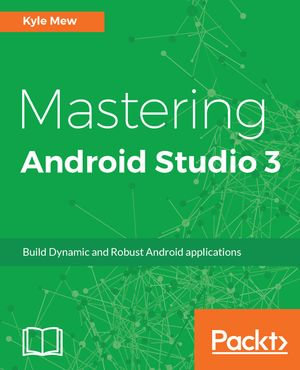
Unleash the power of Android Studio 3 to develop mobile applications faster and efficiently.
About This Book
- Use Android Studio not just as an IDE but as a complete testing and build solution
- Produce customized APKs with Gradle to suit various versions of an app, such as test versions and free versions of an otherwise paid app.
- Explore all aspects of UI development and testing using working XML and Java examples.
- Learn seamless migration from Eclipse and other development platforms to Android Studio.
Who This Book Is For
This book targets developers, with experience of developing for Android, who are new to Android Studio or wish to migrate from another IDE such as Eclipse. This book will show you how to get the utmost from this powerful tool.
What You Will Learn
- Create styles, themes, and material designs
- Set up, configure, and run virtual devices using the AVD manager
- Improve the design of your application using support libraries
- Learn about GitHub libraries
- Use emulators to design layouts for a wide variety of devices, including wearables.
- Improve application performance in terms of memory, speed, and power usage
In Detail
Android Studio is an Integrated Development Environment (IDE) designed for developing Android apps. As with most development processes, Android keeps resources and logic nicely separated, and so this book covers the management of imagery and other resources, and the development and testing tools provided by the IDE.
After introducing the software, the book moves straight into UI development using the sophisticated, WYSIWYG layout editor and XML code to design and test complex interfaces for a wide variety of screen configurations.
With activity design covered, the book continues to guide the reader through application logic development, exploring the latest APIs provided by the SDK. Each topic will be demonstrated by working code samples that can be run on a device or emulator.
One of Android Studio's greatest features is the large number of third-party plugins available for it, and throughout the book we will be exploring the most useful of these, along with samples and libraries that can be found on GitHub.
The final module of the book deals with the final stages of development: building and distribution. The book concludes by taking the reader through the registration and publication processes required by Google. By the time you have finished the book, you will be able to build faster, smoother, and error-free Android applications, in less time and with fewer complications than you ever thought possible.
Style and approach
This is a step-by-step guide with examples demonstrating how Android Studio can be used as a complete solution for developing, testing, and deploying apps from start to finish.