

At a Glance
Format
PDF
eText
$64.99
or 4 interest-free payments of $16.25 with
orInstant online reading in your Booktopia eTextbook Library *
Why choose an eTextbook?
Instant Access *
Purchase and read your book immediately
Read Aloud
Listen and follow along as Bookshelf reads to you
Study Tools
Built-in study tools like highlights and more
* eTextbooks are not downloadable to your eReader or an app and can be accessed via web browsers only. You must be connected to the internet and have no technical issues with your device or browser that could prevent the eTextbook from operating.
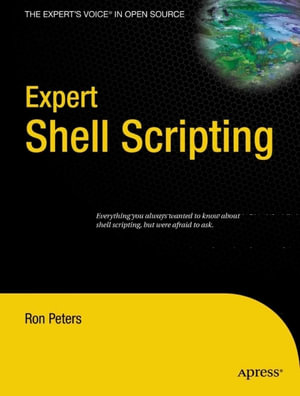
System administrators need libraries of solutions that are ingenious but understandable. They don't want to reinvent the wheel, but they don't want to reinvent filesystem management either!Expert Shell Scriptingis the ultimate resource for all working Linux, Unix, and OS X system administrators who would like to have short, succinct, and powerful shell implementations of tricky system scripting tasks. Automating small to medium system management tasks Analyzing system data and editing configuration files Scripting Linux, Unix, and OS X applications using bash, ksh, et al. What you'll learn Debug shell scripts using existing debuggers, not inspection. Use and extend text???editing one???liners and learn to forget Perl. Manage files and filesystems using scripting, not inflexible utilities. Use scripts to build complete Linux systems. Script X Window without getting lost in configuration files. Ignore Python, and script in bash and ksh instead. Who this book is for System administrators who need solutions to everyday problems.
on
Desktop
Tablet
Mobile
Cover -- TOC$Contents -- About the Author -- About the Technical Reviewer -- Acknowledgments -- Introduction -- PART 1: Basic Scripting Techniques -- CH$CHAPTER 1 Shell Script Debugging -- Shell Trace Options -- Simple Output Statements -- Controlling Output with Debug Levels -- Simplifying Error Checking with a Function -- Manual Stepping -- CH$CHAPTER 2 Standard Function Library -- The Library File -- Some Useful Functions -- Using Your Library -- CH$CHAPTER 3 Date and Time Manipulation -- Date in Days -- Evaluating for the Current Day and Time -- CH$CHAPTER 4 Comparisons and Tests -- The Basics of Comparisons -- CH$CHAPTER 5 Accepting Command-Line Options, Switches, and Parameters -- CH$CHAPTER 6 Testing Variables and Assigning Defaults -- Setting Defaults -- Variable Substitution -- CH$CHAPTER 7 Indirect Reference Variables -- Log File Monitoring with Indirect Variables -- The Main Monitor Loop -- CH$CHAPTER 8 Shell Process Tree -- Process Tree Implemented Using Arrays -- Process Tree Implemented Using Indirect Variables -- Bourne Shell Implementation of a Process Tree -- CH$CHAPTER 9 Data Redirection -- Avoiding Confusion -- Common Redirection -- Access to User-Specified File Handles -- Descriptor Access from the Shell -- CH$CHAPTER 10 Piping Input to read -- Line-by-Line Option 1 -- Line-by-Line Option 2 -- Line-by-Line Option 3 -- Line-by-Line Option 4 -- Pipe to read Directly -- Process Input Word-by-Word -- PART 2: System Interaction and Advanced Techniques -- CH$CHAPTER 11 Math from the Shell -- expr -- Internal Shell Math -- bc -- dc -- CH$CHAPTER 12 cron -- crontab Entries -- Environment Problems -- Output Redirection -- CH$CHAPTER 13 Self-Linked Scripts -- CH$CHAPTER 14 Throttling Parallel Processes -- Parallel Processing with ksh -- Parallel Processing with bash -- CH$CHAPTER 15 Command-Line Editing and History -- Setting Up vi Editing -- Command and File Completion -- CH$CHAPTER 16 Scripting from the Command Line -- A Few Examples -- CH$CHAPTER 17 Automating User Input with expect -- A Shell Script to Customize Parameters for an expect Script -- An expect Script to Automate telnet -- CH$CHAPTER 18 User Input Timeout -- Manual Timeout Method -- Timeout Using stty -- General Timeout Utility -- CH$CHAPTER 19 Instant Keyboard Response -- CH$CHAPTER 20 Directory Copying -- Using cp -- Using tar -- Using find -- Using rsync -- CH$CHAPTER 21 A Brief Tour of the X Display Environment -- The Display -- X Traffic Through ssh -- X Applications Through a Third-Party System -- User-Profile Entry -- Root-Profile Entry -- Throw a Temporary Root Window -- CH$CHAPTER 22 X Navigation Window -- Navigation Window Usage -- Navigation Setup -- Navigation Window -- CH$CHAPTER 23 Command-Line E-mail Attachments -- uuencode -- MIME Encoding -- CH$CHAPTER 24 Text-Processing One-Liners -- Displaying Specific Fields -- Specifying the Field Separator -- Simple Pattern-Matching -- Matching Fields Against Several Values -- Determining the Number of Fields -- Determining the Last Field -- Determining the Second-to-Last Field -- Passing Variables to awk -- Using a Variable Passed to awk in a Condition -- Displaying a Range of Fields (Main M.
ISBN: 9781430218425
ISBN-10: 1430218428
Published: 29th January 2009
Format: PDF
Language: English
Publisher: Springer Nature